Browse topics
Moving Candidates Through the Pipeline
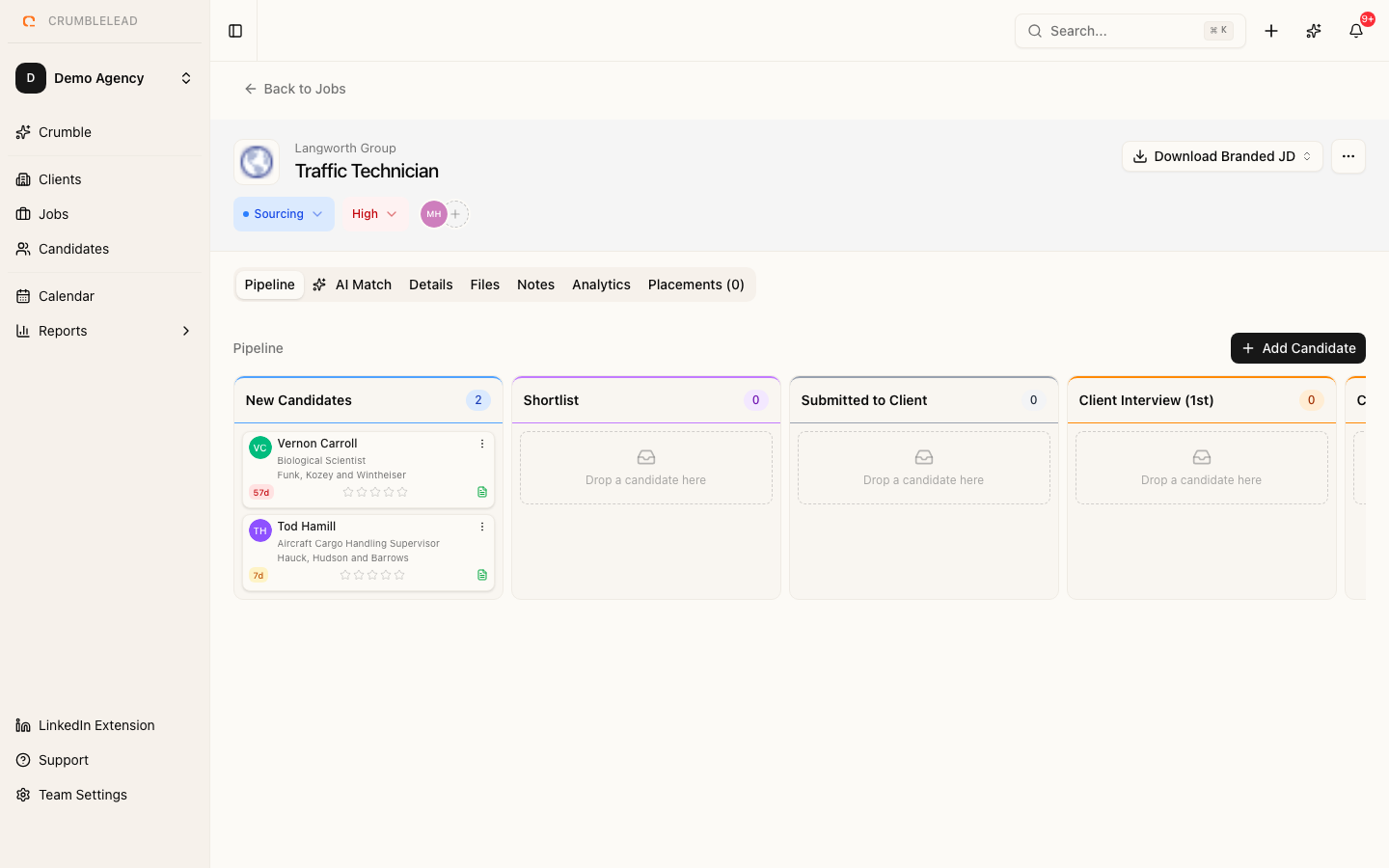
The pipeline view
Open any job listing and you will see the pipeline view showing all candidates organized by their current stage. This gives you an at-a-glance view of where every candidate stands.
Moving candidates between stages
To move a candidate to the next stage, drag their card to the desired column. You can also click on a candidate to open their details and change the stage from there.
Adding candidates to a job
Click Add Candidate on the job page to search your existing candidate database or create a new candidate. They will be added to the first pipeline stage automatically.
Sending emails from the pipeline
When you move a candidate to a new stage, you will be prompted to send a status update email. Choose from your saved templates or write a custom message. All emails are logged against both the candidate record and the job.
Tracking activity
Every stage change, email, and note is logged in the candidate's activity timeline. This makes it easy for any team member to pick up where someone else left off.